Email authentication helps receiving systems evaluate messages claiming to come from your domain. It is a configuration task involving your domain and the systems allowed to send for it. Begin by listing those systems; copying a random record from another business is not a safe way to configure your own mail.
List every legitimate sender
Your mailbox service may not be the only sender. A website form, store, newsletter platform or invoicing application can also send messages using the domain. Record the services in use and which address each one presents. Remove obsolete systems from the plan only after confirming that no active business process still depends on them.
Understand the different roles
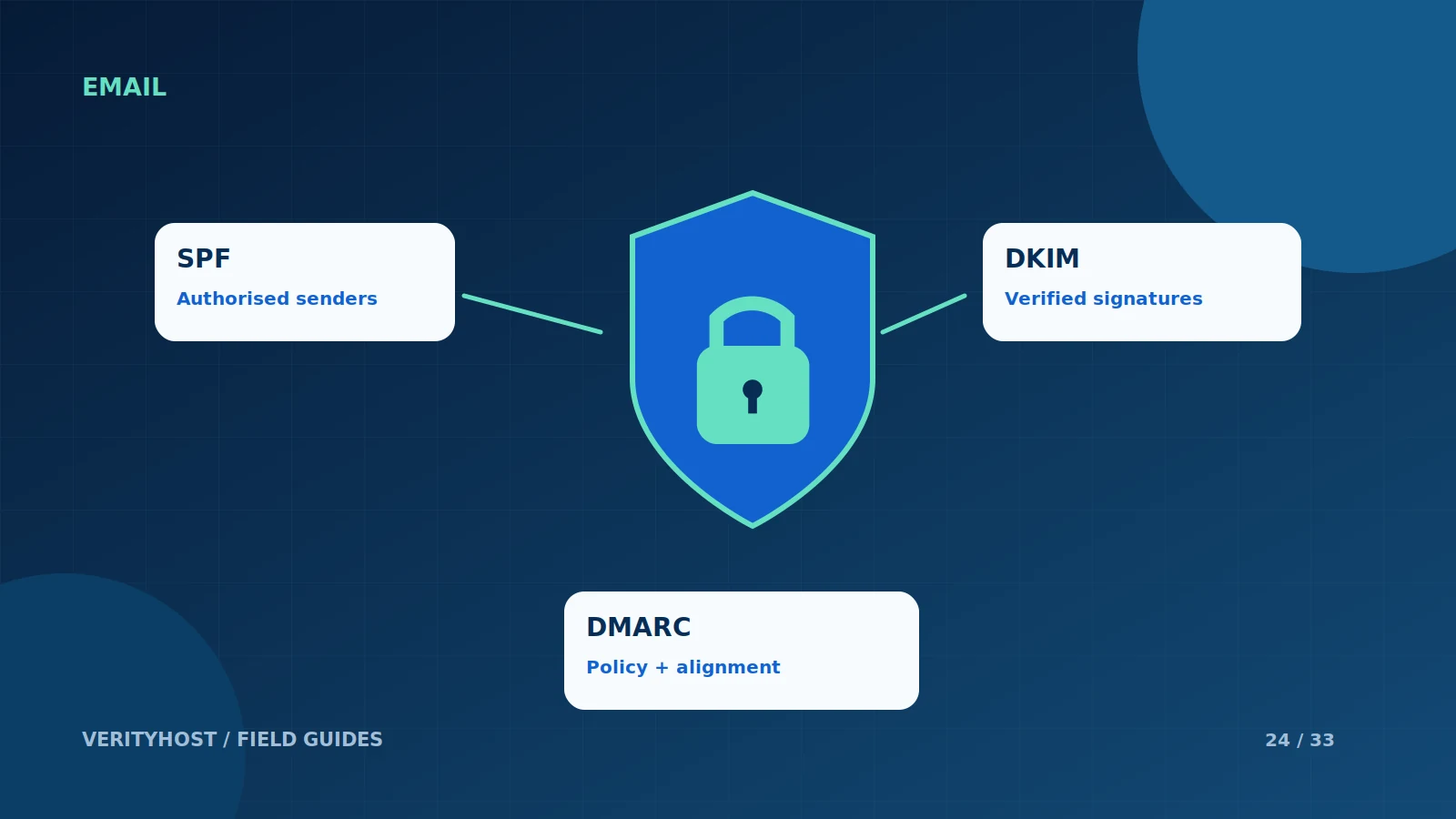
SPF describes authorised sending infrastructure. DKIM adds a signature that receiving systems can verify using published information. DMARC relates authentication results to the visible sender domain and lets a domain owner publish a policy. These mechanisms work together, but none of them makes an unwanted message useful or guarantees inbox delivery.
Change records with a plan
Get the values from the provider responsible for each service and keep a copy of the current records. Avoid creating conflicting records or pasting private signing keys into a DNS dashboard. Discuss the intended policy and testing process with the person managing email. A stronger-looking policy can disrupt legitimate mail if the sending inventory is incomplete.
Check delivery as an ongoing process
After configuration, test representative messages and inspect the authentication results where available. Review problems when a sender or domain setup changes. VerityHost can quote for email and DNS work; provide the domain and sender list rather than sending administrator credentials in a ticket. Keep consent, message quality and recipient expectations in the delivery plan as well.
PUT IT INTO PRACTICE
Your checklist.
- Inventory mailbox, website and third-party senders.
- Obtain DNS values from the actual service providers.
- Keep private keys and passwords out of public DNS.
- Test legitimate messages after each material change.
YOUR NEXT STEP
Turn the plan into a working website.
Choose a suitable service or ask us to confirm the work and price.
Request email authentication help ↗